## BigTreeTech Octopus-Pro
### Warning for Octopus Pro
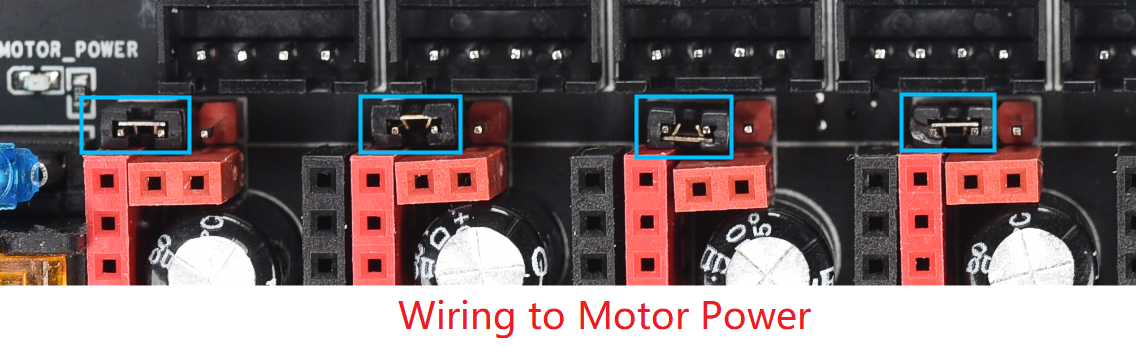
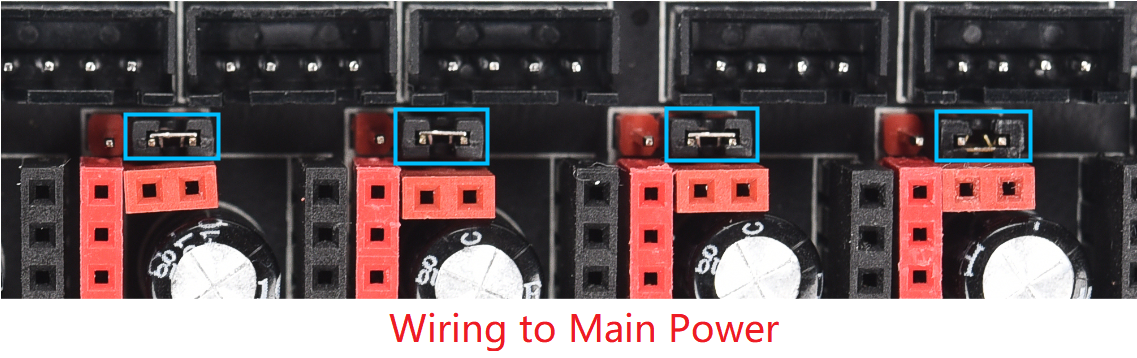
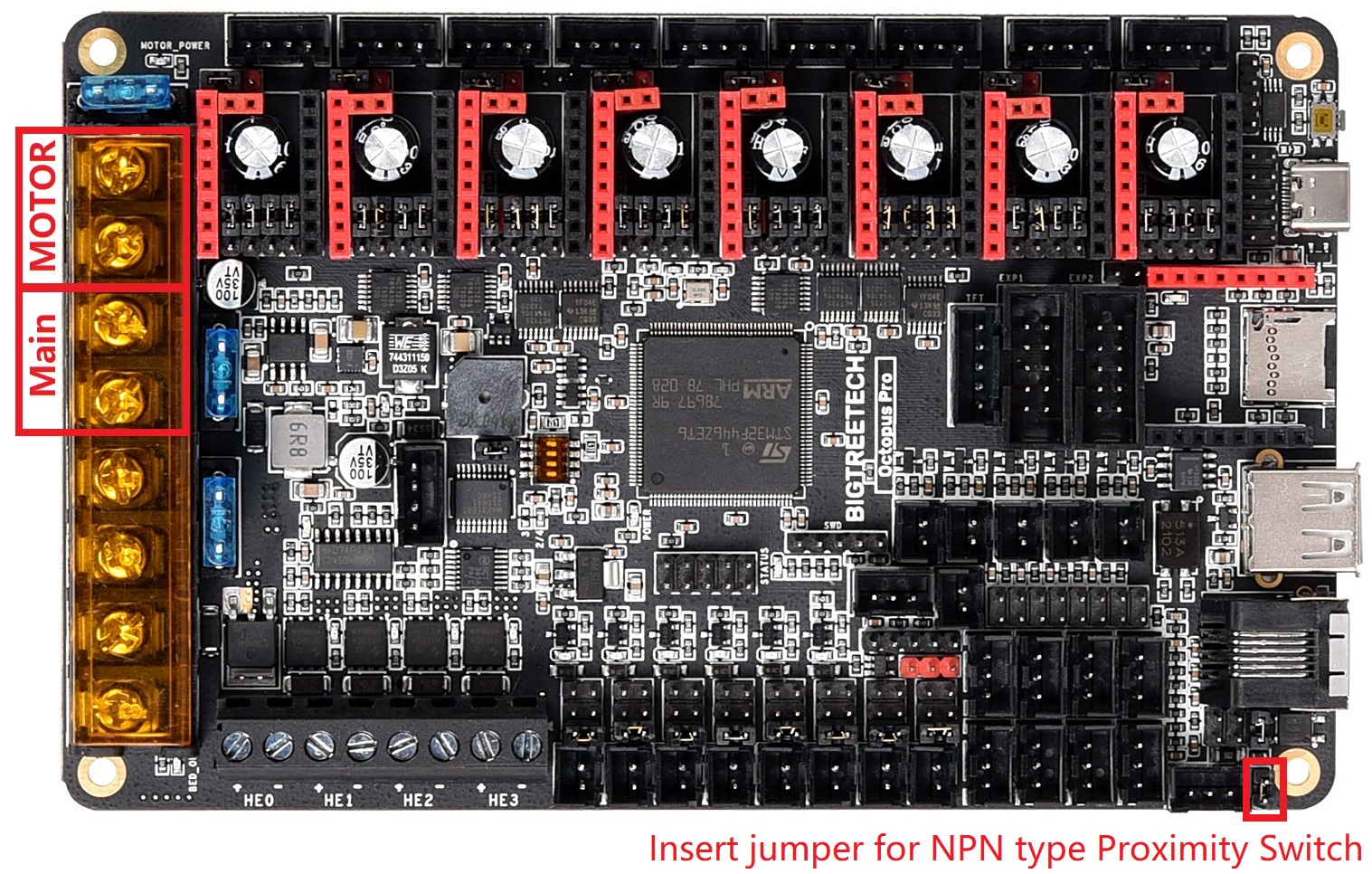
* The voltage of all 8 drives can be selected by the jumper, If the jumper is inserted on the left, the corresponding driver voltage is `MOTOR_POWER`, it is `Main Power` if it is inserted on the right. The `MOTOR_POWER` port maximum voltage supported is up to 60V, the `Main Power` port maximum voltage supported is only 28V. The all 8 drivers of this motherboard can be used in any combination `MOTOR_POWER` or `Main Power`.
***Warning: please make sure that the correct voltage is selected by the jumper In order to use the non high voltage version of the driver (such as: TMC2209, TMC2130, or Non high voltage version TMC5160), otherwise the driver will be burned, and even the motherboard may be burned.***
### Difference between Octopus-Pro and Octopus V1.0 / V1.1
1. Support up to 60V high-voltage stepper drivers, and each driver can select the voltage from `MOTOR_POWER` or `Main Power` by jumper.
2. Both `NPN` and `PNP` type proximity switch are supported on `Probe` port(V1.0 / V1.1 can only supported `PNP` type). ***The IO of this port is no longer multiplexed with Bltouch, and a separate IO `PC5` is used for this port***
3. On board `INA826` is modified to `Max31865`, which supports PT100 / PT1000 and has higher accuracy.
4. The pin arrangement of raspberry pi header is modified to be exactly the same as raspberry pi. From top to bottom: `5V 5V GND RX TX`.
### Firmware
* The IO of Octopus-Pro and Octopus V1.0 / V1.1 are the same, except the IO of proximity switch `Probe` port is no longer multiplexed with Bltouch and is modified to a separate IO `PC5`. Other settings are the same as Octopus V1.0 / V1.1. Please refer to [Octopus V1.0/V1.1 here](https://github.com/bigtreetech/BIGTREETECH-OCTOPUS-V1.0)
### Review
* You can find a complete review with detailed features of our electronics in [Spanish](https://3dwork.io/btt-octopus-pro) and [English](https://3dwork.io/en/btt-octopus-pro) on [3dwork.io](https://3dwork.io/).